
Interrupted Device Workflows: Verify the Resume Screen, Not Just the Happy Path
Interruptions during device programming are routine. How RA/QA and software teams specify, verify, and document the resume state to catch silent reversions and blank fields.

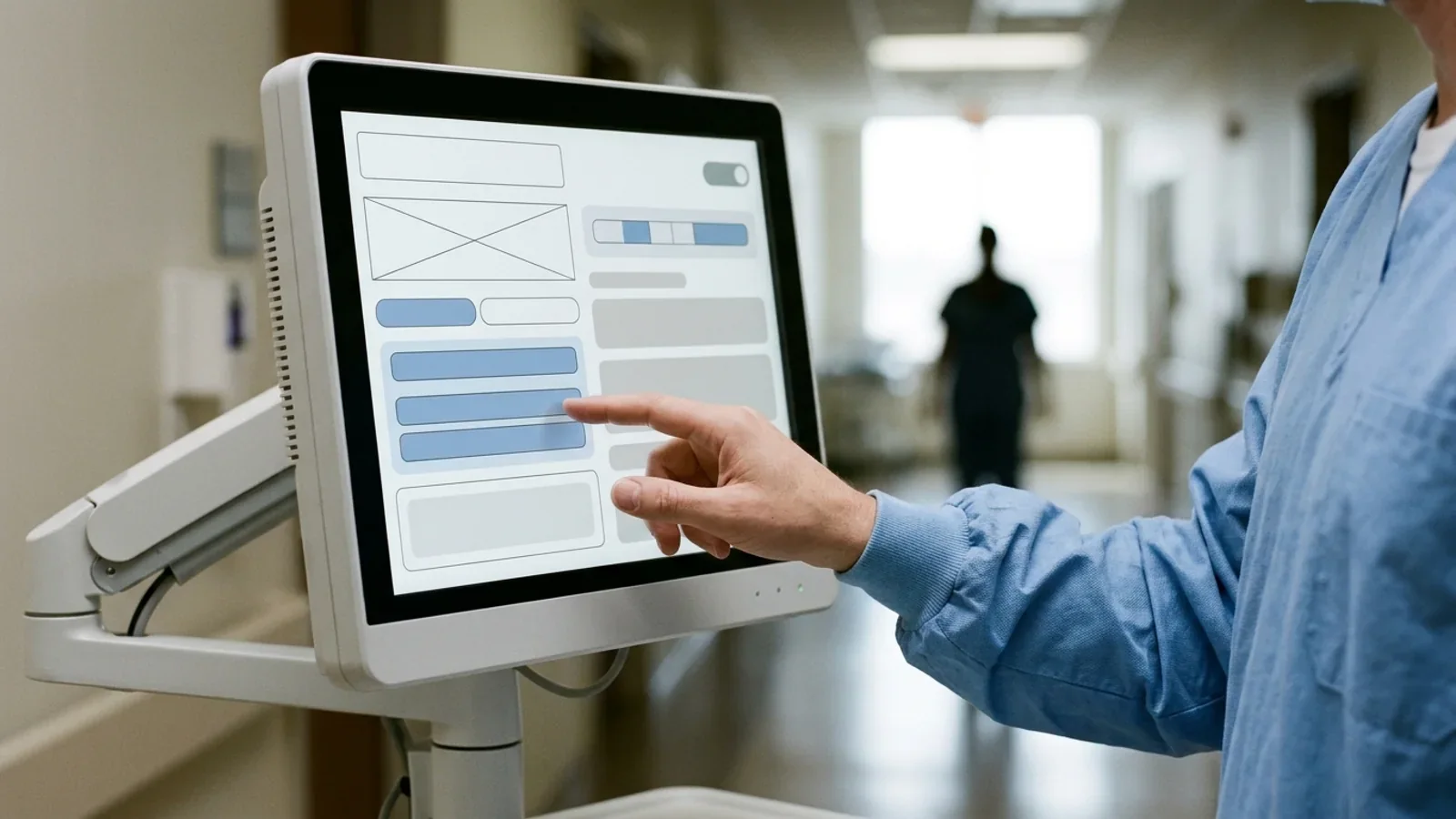
When a clinician is interrupted during a multi-step device entry—by a colleague, a competing alarm, a phone call, or an automatic screen lock—confirming that the device stayed powered, or that stored settings survived an electrical event, does not verify the workflow. The verification target is the resume state: what the returning user is shown, which entries were retained, cleared, or silently reverted, whether any on-screen confirmation still reflects what the device will actually do, and what deliberate action is required before a change takes effect.
Many user interfaces are designed and verified as if the user will move through a task in one uninterrupted pass. The evidence below suggests that assumption does not match clinical work. When verification covers only that uninterrupted happy path, the behaviors that matter after an interruption—what was kept, what was dropped, and what the screen implies—may never be exercised before release.
Interruptions Are Normal Clinical Use, Not Edge Cases
A quality-improvement study published in the Journal of Patient Safety (Vital et al., 2025) observed nurses completing IV smart pump (IVSP) medication activities for 50 hours across three adult ICUs at a single US academic medical center. Of 100 observed activities, 44 had at least one interruption, with 54 interruptions recorded in total.
Interruptions averaged 28 seconds (median 22 seconds, range 4 to 90 seconds). The study reported these sources and durations:
Other health care professionals: 20.4% of interruptions.
Medical devices: 20.4% of interruptions.
Other nurses: 16.7% of interruptions.
Phone calls produced the longest interruptions, averaging 48.0 seconds.
Self-initiated interruptions averaged 45.7 seconds.
Separately, 25% of activities encountered at least one IV smart pump alarm or alert, and alarms and alerts accounted for 24.5% of total activity duration. The authors also cite literature reporting that ICU nurses are interrupted roughly 5 to 20 times per hour and that interruptions are associated with more medication administration errors. Their description of the device risk is specific: disrupted pump programming "can result in incomplete or inaccurate input of critical details, such as dosages, infusion rates, or patient identifiers." Their long-term recommendation is to improve pump usability and user interfaces, because interruptions are more likely to lead to errors when interfaces are complex, nonintuitive, or poorly aligned with clinical workflows.
For design teams, the timings are the useful part. A returning user has to reconstruct which step was finished, which value was typed, and whether a number on screen is a draft or an active instruction. Interruptions measured in tens of seconds, with phone calls averaging close to a minute, are long enough to reach the inactivity, dimming, or lock timers a design team may specify. Those timers should therefore be chosen and verified against realistic interruption lengths, and the resume screen—not the user's memory alone—should carry the burden of showing what state the task is in.
IEC 62366-1:2015+AMD1:2020 describes a usability engineering process that lets a manufacturer assess and mitigate risks associated with correct use and use errors—what the standard calls normal use—while risks from abnormal use can be identified but are not assessed or mitigated through that process. FDA's human factors guidance defines abnormal use as a conscious, deliberate act or deliberate omission that is counter to or violates normal use and is beyond further reasonable user interface-related risk control. Being called away mid-entry is not a deliberate act against normal use, so interruption-related use errors sit inside the scope the usability engineering process is meant to address.
Resume State Versus Power Survival: Different Questions
Session continuity is easy to confuse with power recovery. Our article on which device state must survive a power interruption covers the settings and state that must persist through a power dip, battery swap, or restart, and how essential-performance criteria shape that verification. That is an electrical and essential-performance question.
Interrupted-workflow verification concerns a device that stays powered while its user walks away. It asks different questions:
When the user is called away mid-entry and returns 45 seconds later, is the uncommitted draft still on screen, or has the display dimmed, locked, or moved to another screen?
If an inactivity timeout fired, did the application discard the entries, revert to previous or default values, or keep the partial entry—and does the screen say which?
Does the interface clearly distinguish an uncommitted staged value from the value the device is currently using?
If a confirmation dialog was open when the interruption began, does it still describe what will happen if the user presses Confirm now?
FDA's final guidance Content of Premarket Submissions for Device Software Functions (June 14, 2023) gives this behavior a natural home in the documentation. In its discussion of the Software Requirements Specification (SRS), a footnote on software performance and functional requirements says they:
...may also include: device limitations due to software, internal software tests and checks, error and interrupt handling, fault detection, tolerance, and recovery characteristics, safety requirements, and timing and memory requirements.
Two cautions apply. The guidance notes that "requirements" in this section refers to the SRS document rather than a regulatory requirement, and the phrase does not mention user sessions or resume screens. Embedded teams often read "interrupt handling" as hardware interrupts or communication timeouts. Extending it to clinical task interruptions, screen locks, and session-expiry rules is an editorial interpretation—but a reasonable one, because the same guidance describes the SRS as covering user interaction, error definition and handling, and all ranges, limits, defaults, and specific values the software will accept. The guidance defines software verification as confirmation by objective evidence that the output of a development phase meets that phase's input requirements; once resume behavior is written down as a requirement, it can be verified like any other.
Two FDA Use-Error Examples: Unfinished Fields and Silent Timeout Reversion
FDA's Applying Human Factors and Usability Engineering to Medical Devices (issued August 3, 2026; originally issued February 3, 2016) includes, in Appendix B, Table B.1, "Hypothetical sample results of analyses of human factors validation tests." Two of its rows describe failures that an interrupted workflow can produce. They illustrate how to analyze validation results; they are not requirements that every device implement a particular alert.
Example 1: Interrupted Data Entry With Blank Fields
For the task of entering patient data into the device, Table B.1 records that a user who was interrupted during the task failed to enter data into some fields and that the user was not aware some fields were left blank. The listed clinical consequence is that incomplete patient data could lead to misdiagnosis or incorrect therapy, the potential harm is serious injury or death, and the example risk control is for the device to alert the user when data has not been entered into all necessary fields.
An illustrative, hypothetical version: a programming sequence requires several parameters. The user enters some of them, is called away, and returns to a screen that does not make clear which fields are complete. If the software accepts the sequence with an empty field—or silently fills it with a default—the user may proceed believing the entry is finished. Whether that becomes a hazardous situation depends on the device and the parameter, which is exactly what the use-related risk analysis has to decide.
Example 2: Inactivity Timeout and Silent Setting Reversion
For the task of confirming new settings entered into a device, Table B.1 records that a user did not notice the device did not keep the settings, with the comment that the user presumed the medical device kept the settings entered. The root cause given is that the user was not informed the device had reverted to the previous settings, and the example risk control is for the device to alert the user when it has timed out and reverted to the previous settings. The potential harm is again listed as serious injury or death.
An illustrative, hypothetical version: a user begins changing a running setting, is pulled away by an alarm on another device before confirming, and an inactivity timer expires. The device discards the uncommitted change and returns to its normal running display, which still shows the previous value. If nothing on that screen says a change was abandoned, the returning user may reasonably assume the change was applied. The device behaved as designed; the use error comes from what the resume screen failed to say.
Alarms are one of the diversions that create this situation. Our article on documenting device state when two alarms occur at once covers the adjacent question of what the device records and acknowledges when alarms overlap.
Original Verification Asset: Interrupted-Session and Stale-Confirmation Test Cases
The matrix pairs common interruption sources with three timing cut-points—mid-entry, at confirmation, and after confirmation but before the change takes effect—and states for each what the returning user should see, what should be retained or reverted, and what would count as a pass. The interruption lengths observed by Vital et al. (4 to 90 seconds in that ICU setting) are one reference point for choosing test interruptions for similar devices, but a single fixed interruption length is not automatically the worst case. Test interruptions both shorter and longer than each timer the design specifies, so that the retained path and the timed-out path are both exercised.
| Test case and trigger | Timing cut-point | Display state on resume | Retention vs. reversion rule | Verification pass criterion |
|---|---|---|---|---|
| TC-01: Colleague interruption | Mid-entry of a numeric value (some digits entered) | Entry screen still shown; the partial value is visibly marked as in progress | Retain the partial entry within a manufacturer-defined window; never commit it automatically | Pass: no partial value is committed; the user must complete or explicitly clear it |
| TC-02: Alarm on this or another device | All parameters entered, before the review/confirm step | After the alarm is handled, the user returns to the populated entry screen | Retain entered values across the alarm transition, or state clearly that they were discarded | Pass: the user sees exactly the entered values or an explicit notice; no field silently resets to a default |
| TC-03: Inactivity auto-lock or session timeout | Confirmation dialog open, awaiting final confirmation or authentication | On unlock, a clear notice that the session timed out and the staged change was not applied | Revert uncommitted changes; operation continues on the last confirmed settings | Pass: a timed-out confirmation can never be executed; the notice identifies what was discarded |
| TC-04: Display sleep and wake | Partway through a multi-step entry (for example, step 2 of 4) | Wake restores the same step and previously validated entries, or shows a reversion notice | Preserve step position and validated data, or revert with notice, as the risk analysis decides | Pass: the wake touch only wakes the display and is not registered as a selection or button press |
| TC-05: Phone call or walk-away | Final summary screen shown, not yet confirmed | Pending, unconfirmed status clearly distinguished from active operation | Hold the staged summary for a manufacturer-defined window, then clear it and log the timeout | Pass: a cleared summary cannot be confirmed; any abandonment is visible on return |
| TC-06: Screen or app switch (software and mobile platforms) | App backgrounded during a calculation or entry | On return, notice of elapsed time and of anything discarded | Discard or revalidate uncommitted results after a manufacturer-defined interval; re-authenticate where required | Pass: no cached result is presented as current without revalidation |
| TC-07: Stale confirmation | Confirmation shown, then the underlying state changes (timeout reversion, discarded draft, or updated input data) before the user confirms | Confirmation is withdrawn or refreshed, with a notice that values changed | Invalidate the confirmation whenever the values it summarizes are no longer the values that would be applied | Pass: pressing Confirm never applies values different from those displayed; the user must review refreshed values |
TC-07 is the case most often missing from happy-path protocols. A stale confirmation is any confirmation that no longer describes what will happen when the user accepts it—most directly, a confirmation still displayed for input the device has already reverted or discarded, which is the Table B.1 timeout pattern seen from the confirm button. In connected devices and software that display live inputs, the same failure can arise when the data behind a decision changes while the user is away; our article on whether devices can show old data as current after a network reconnect covers data freshness in that context. In both cases the verification question is the same: can the user accept something the device will not actually do?
The state diagram below shows the transitions these test cases are meant to exercise. Thresholds are deliberately left as manufacturer-defined parameters.
stateDiagram-v2
    [*] --> ActiveEntry: User enters data
    ActiveEntry --> Interrupted: User diverted (no input)

    state Interrupted {
        [*] --> InactivityTimerRunning
        InactivityTimerRunning --> InactivityExceeded: Timer exceeds defined threshold
        InactivityTimerRunning --> UserReturnsEarly: Touch or wake before threshold
    }

    InactivityExceeded --> SessionReverted: Discard staged values
    SessionReverted --> ReversionNotice: Show timeout and reversion notice
    ReversionNotice --> ActiveEntry: User acknowledges and re-enters

    UserReturnsEarly --> ResumeValidation: Restore staged values
    ResumeValidation --> StaleCheck: Check confirmation still matches state

    state StaleCheck <<choice>>
    StaleCheck --> RefreshRequired: Underlying values changed
    StaleCheck --> VisualReconfirm: Values unchanged

    RefreshRequired --> ActiveEntry: Force review with notice
    VisualReconfirm --> Committed: User confirms entry
Committed --> [*]: Change takes effectScreen Timeouts in Adverse-Event Reports: What openFDA Narrative Matches Show
Reported events show that screens timing out during interaction are not purely hypothetical. A reproducible openFDA device adverse-event query for the narrative phrase "screen timed out" returns 337 matching device event reports (checked November 1, 2026).
The three reports returned in the query's sample are all manufacturer-submitted malfunction reports for Tandem t:slim X2 insulin pumps, received in 2020. Their narratives state that the pump touch screen timed out unexpectedly, one adding during user interaction. The sampled narratives report no impact on blood glucose, and in each case no product was returned for evaluation.
Timeout settings involve a real trade-off. A short inactivity timeout can cut off users who are still working; a display that never locks raises security and unintended-input concerns. The resume screen is where that trade-off becomes visible to the user, which is why timeout values are worth justifying with human factors evidence and verifying against realistic interruptions rather than inheriting from a platform default.
The Quiet-Lab Blind Spot: Why Summative Testing Can Miss Interruptions
A recent simulation-based summative usability evaluation published in JMIR Human Factors (Wan et al., March 2026) illustrates how interruption conditions can be left out of validation.
The investigators had 12 registered nurses perform 12 operational tasks, plus 7 knowledge tasks using the manual, with an infusion pump in a usability laboratory set up to simulate an ICU. They recorded 79 difficult operations, 9 near-miss operations, and 36 operation failures; difficult operations were most frequent in alarm resolution, screen brightness adjustment, and turning off the pump. The study defined operation failures to include "exceeding time limits, making mistakes, omissions, or interruptions." Participants were nonetheless generally able to complete the tasks.
Among their stated limitations, the authors wrote:
...the experiment was conducted in a quiet simulated ICU, and nurses' use performance in real clinical scenarios (eg, noise, interruptions, and multitasking) may differ from the testing conditions.
That is one study, not proof that summative testing generally misses interruptions. It does show the mechanism clearly: in a quiet test room, participants have little reason to abandon a task mid-entry, so resume-state behavior may never be exercised unless the protocol deliberately introduces interruptions.
FDA's human factors guidance addresses this in its discussion of simulated-use validation testing. Test conditions should be realistic enough for results to generalize to actual use, and to the extent that environmental factors might affect users' interactions with the user interface, they should be incorporated into the simulated use environment:
...(e.g., dim lighting, multiple alarm conditions, distractions, and multi-tasking).
The guidance defines a critical task as a user task which, if performed incorrectly or not performed at all, would or could cause serious harm to the patient or user, where harm includes compromised medical care. Whether resuming an interrupted entry is a critical task is therefore a device-specific determination: if confirming an incomplete or reverted entry could cause serious harm, the resume step belongs in the critical-task list and in validation scenarios that include planned interruptions. Our auto-injector critical-task matrix guide shows one way to structure a critical-task matrix; the same discipline applies to resume steps.
Traceability: From Requirements to Use-Related Risk Analysis and the Submission
Interrupted-workflow evidence is most useful when a reviewer or auditor can follow it from requirement to test result. A practical traceability chain, consistent with the FDA documents cited here and with IEC 62366-1 usability engineering processes, looks like this:
Software Requirements Specification (SRS): State session behavior explicitly: inactivity, dimming, and lock timers; what is retained or discarded at each timer; what the resume screen discloses (retained entries, cleared fields, reverted values, elapsed time); and the conditions that invalidate a confirmation. This is where the "error and interrupt handling ... and recovery characteristics" mentioned in the software guidance become testable statements.
Use-related risk analysis: Add rows for resume-state use errors. Table B.1's columns—task, observed use error, user comment, clinical consequence, potential harm, root cause, risk control, and how the control's effectiveness will be evaluated—make a convenient template. For the blank-field example: a user interrupted mid-entry does not notice empty fields; incomplete data could lead to incorrect therapy; the risk control is an alert or commit gate for missing fields, evaluated in validation testing.
Software verification records: At the Basic Documentation Level, the June 2023 guidance recommends a summary description of testing activities at the unit, integration, and system levels, with overall pass/fail results. In practice, unit tests can cover timers and buffer-purge logic, integration tests can cover sleep/wake and alarm transitions across components, and system tests can execute interrupted-session cases such as those in the matrix above.
Marketing submission: FDA's final guidance Content of Human Factors Information in Medical Device Marketing Submissions (May 2026) provides a risk-based framework for the human factors information to include in 510(k), De Novo, PMA, and HDE submissions, and is intended to be used with the companion human factors guidance. Our review of the 2026 submission categories and Decision Point D explains how the category is determined. Where interrupted-workflow risks bear on critical tasks, the related formative findings, risk controls, and validation results are the natural evidence to trace into that documentation.
Boundaries: What This Evidence Does and Does Not Establish
The evidence above supports a design and verification practice. It has limits that should travel with it:
Guidance versus law: The FDA guidance documents cited here—the June 2023 software functions guidance, the August 2026 human factors guidance, and the May 2026 human factors submission-content guidance—contain nonbinding recommendations. Table B.1 entries are hypothetical examples; they do not require every device to implement a timeout-reversion alert or a blank-field warning.
Retention is not always right: Not every interrupted session should resume. For some workflows, discarding an uncommitted draft at timeout—so that a returning or different user cannot accept a setting nobody re-verified—may be the safer design. Retention versus discard is a device-specific risk decision, and either choice should be made visible to the returning user.
Observational data generalizability: Vital et al. (2025) is a single-site quality-improvement project in three adult ICUs; the authors acknowledge possible Hawthorne effects, and the project did not evaluate patient outcomes. Its interruption profile should not be extrapolated to home use, IVD analyzers, or other device types without supporting data.
openFDA limitations: The 337 narrative matches for "screen timed out" are reported events, not incidence rates. Reports are subject to reporting bias and incomplete narratives, and only the three sampled malfunction reports are described here.
Standards publication versus legal adoption: Publication of IEC 62366-1:2015+AMD1:2020 by the International Electrotechnical Commission is distinct from regulatory adoption. Check whether a given jurisdiction recognizes the specific edition—for example, through FDA's recognized consensus standards database or the EU's harmonised standards references.
Work as imagined versus work as done: Blandford, Furniss, and Vincent (Clinical Risk, 2014) argue that usability engineering before market entry is necessary but not sufficient: design assumes "work as imagined," while actual practice ("work as done") diverges. They also describe "unremarkable errors"—small, quickly recovered slips that clinicians barely regard as errors but that draw attention away from care and could escalate if not caught. Interrupted-entry slips can fit that description, which argues for monitoring complaints and postmarket data for timeout and resume confusion after clearance or approval, not only testing before it.